微信如何设置声音锁

2026-02-21 16:25:43

1、很多人想使用声音给微信上一把锁,只有自己的声音才可以打开,那么具体怎么操作呢?接下来简单为大家介绍一下:

微信如何设置声音锁

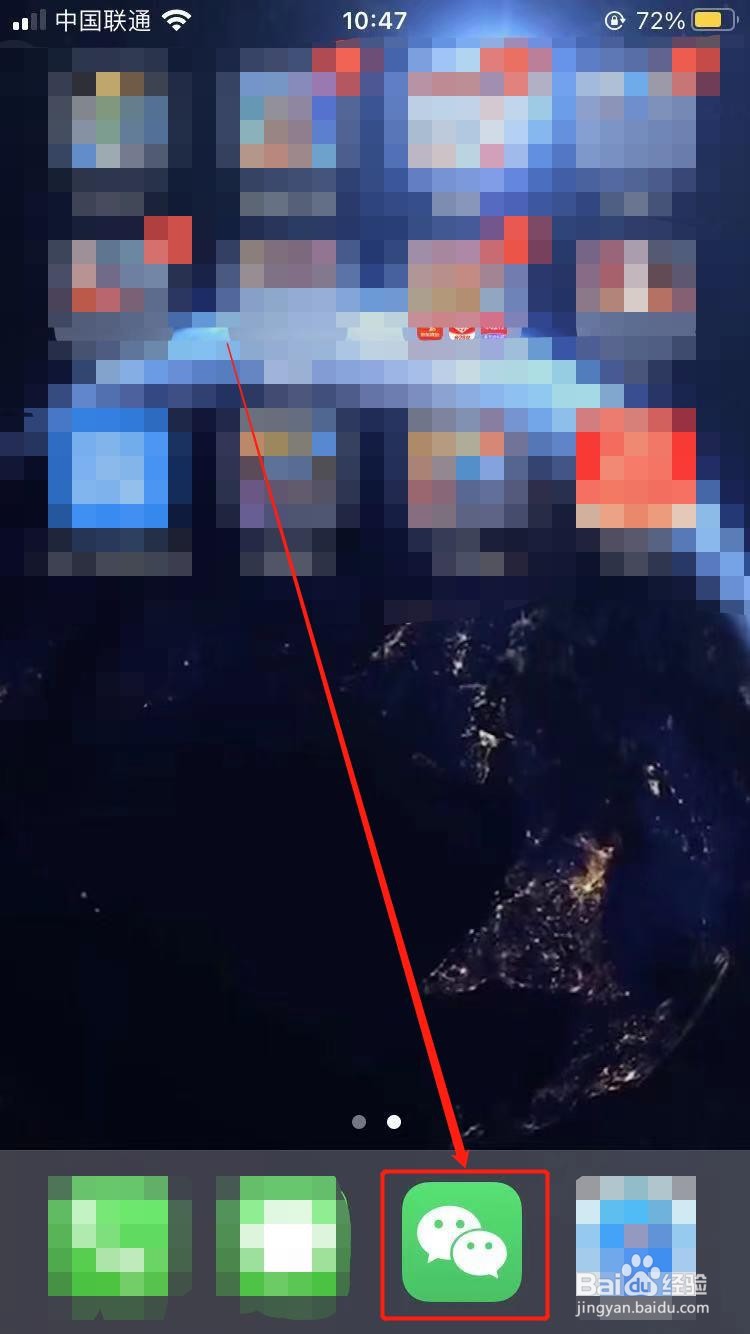
2、首先先找到我们手机中的微信

微信如何设置声音锁

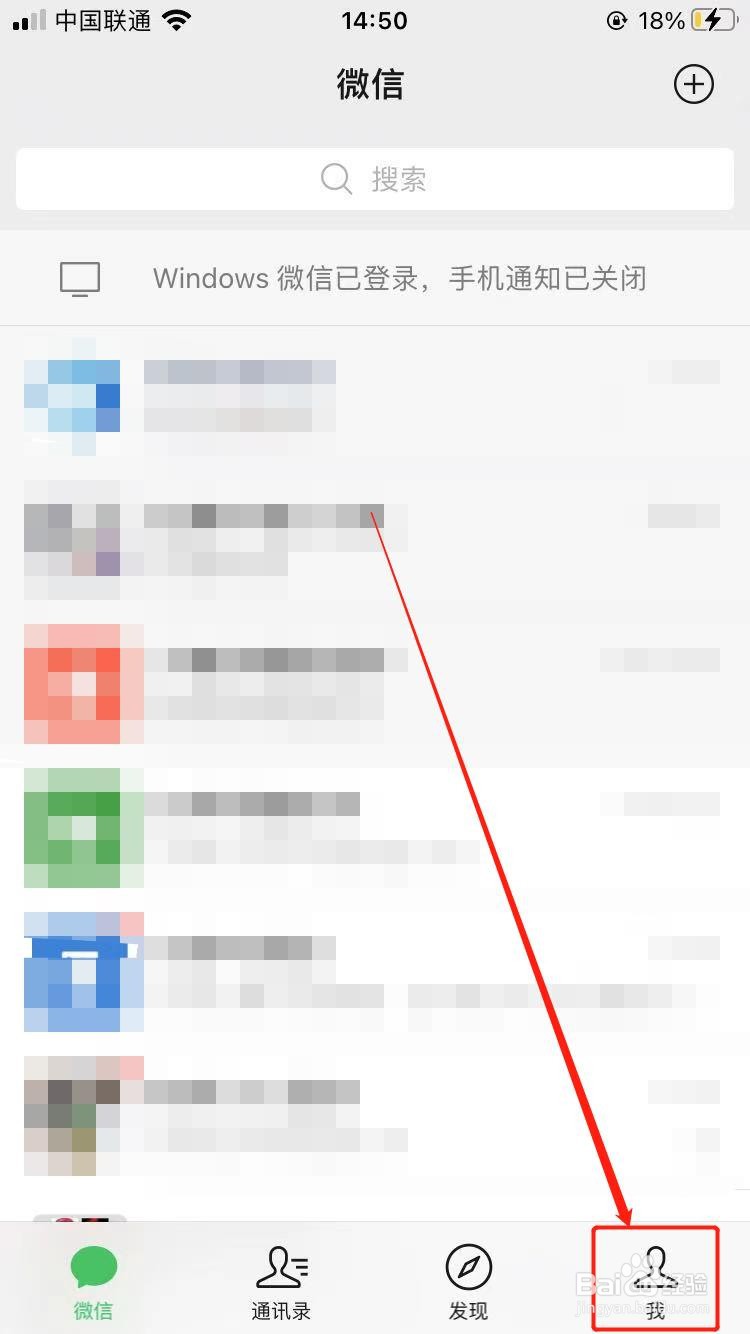
3、点击右下角的【我】

微信如何设置声音锁

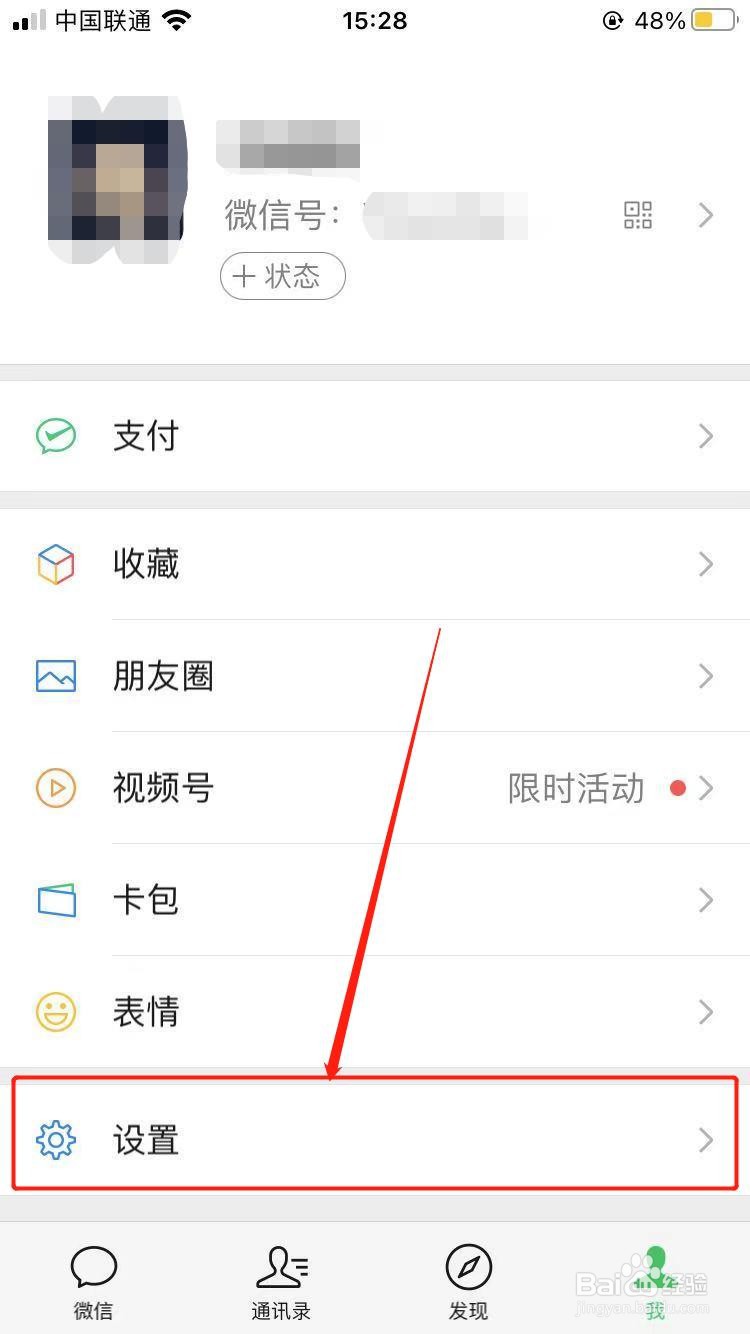
4、点击设置

微信如何设置声音锁

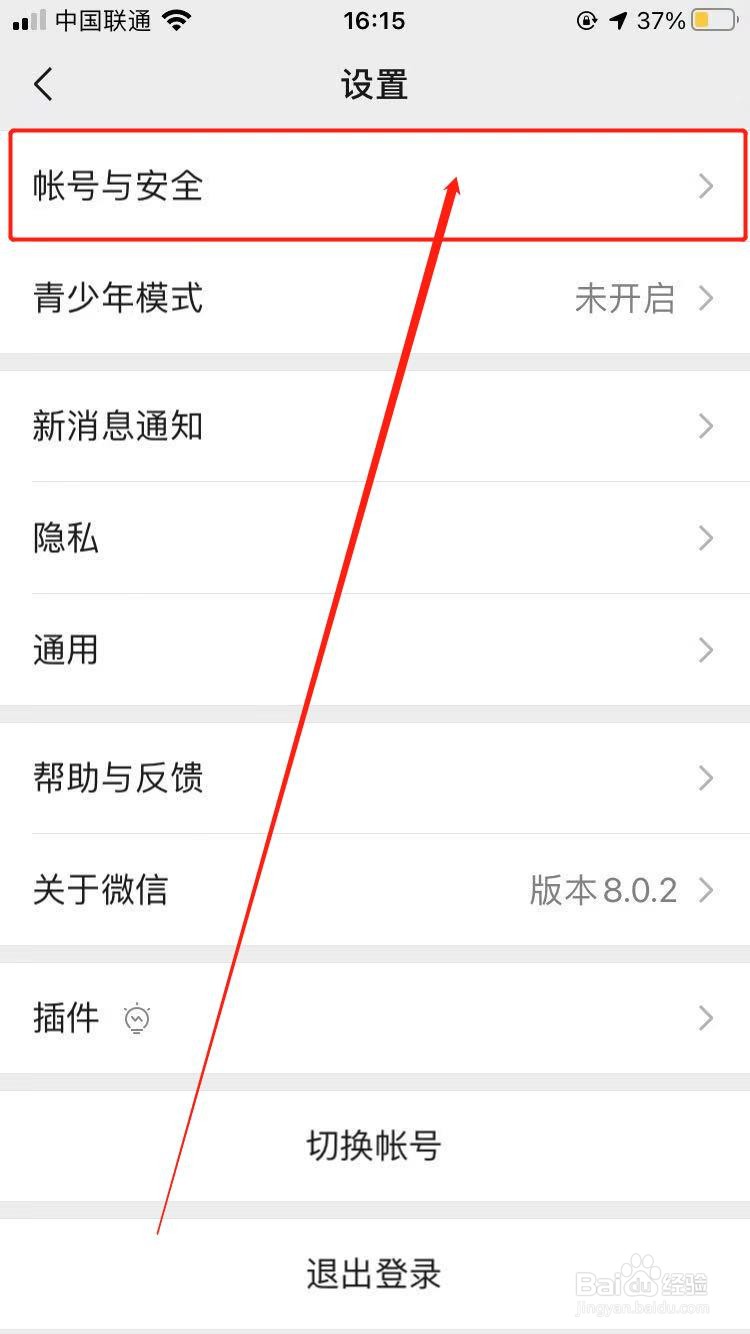
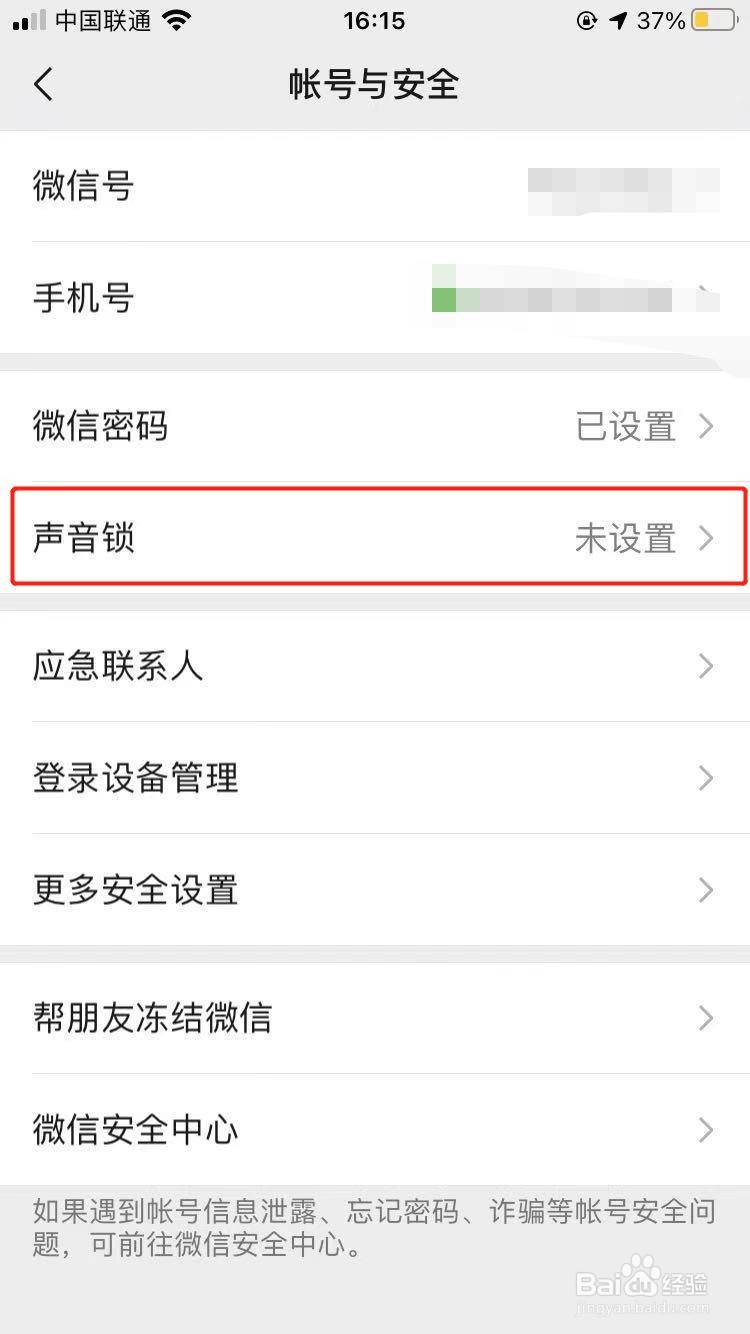
5、其中有一个【账号与安全】选项

微信如何设置声音锁

6、进入之后就可以看到声音锁的按钮了

微信如何设置声音锁

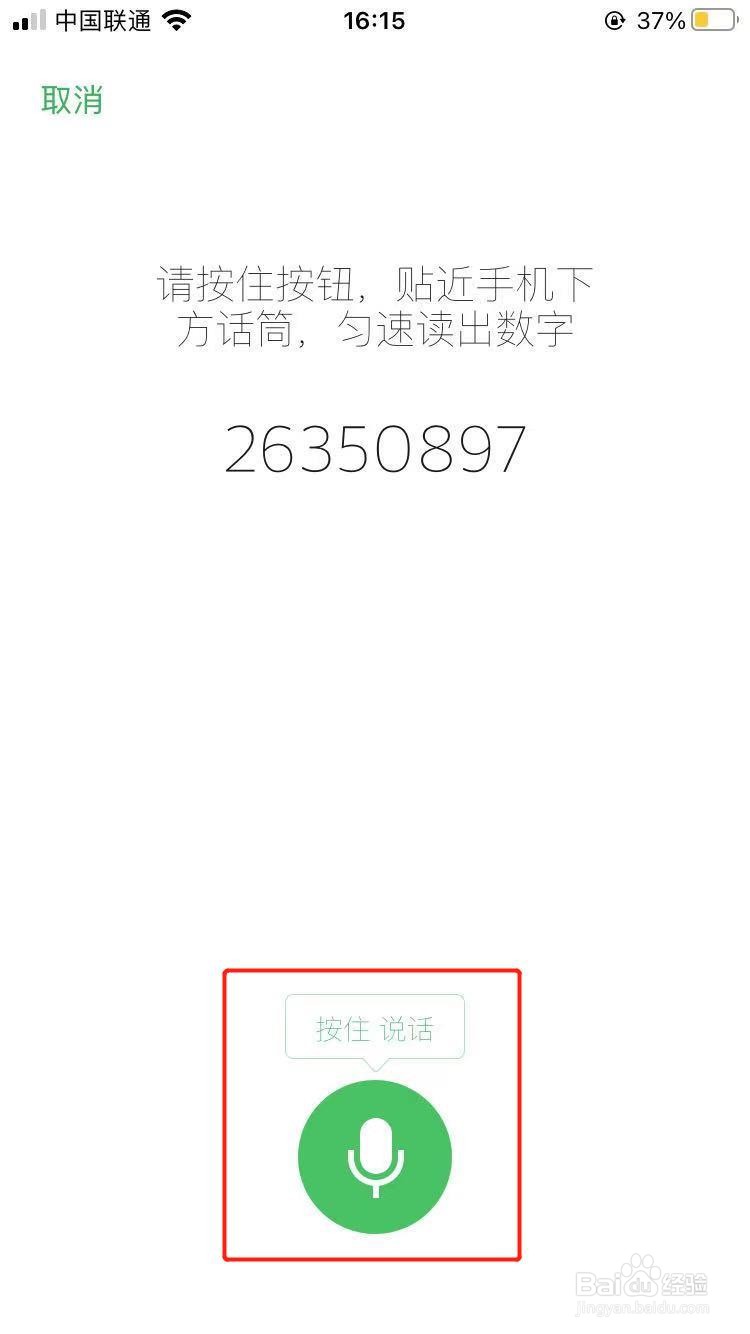
7、点击下方开始即可开始设置

微信如何设置声音锁

8、需要先进行一个采样测试哦,记得要匀速

微信如何设置声音锁

相关推荐
  • 阅读量:44
  • 阅读量:100
  • 阅读量:154
  • 阅读量:64
  • 阅读量:104
  • 猜你喜欢