CSE Validator v14.0怎么设置非错误消息
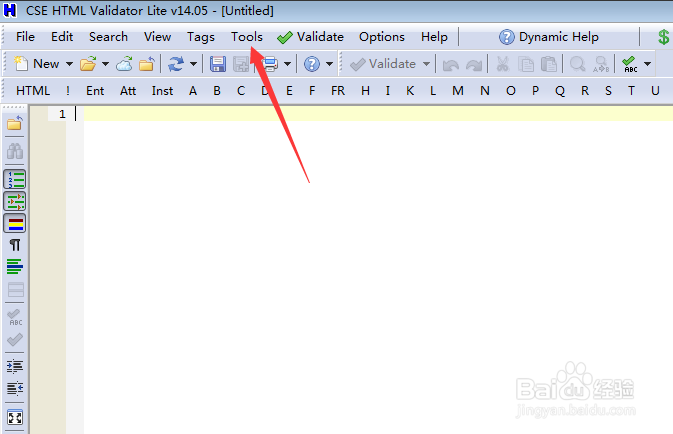
1、点击菜单中tools菜单
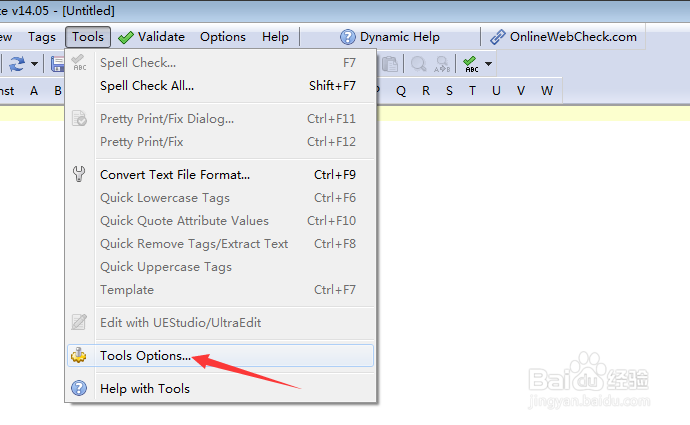
2、弹出了下拉菜单选择为tools options选项
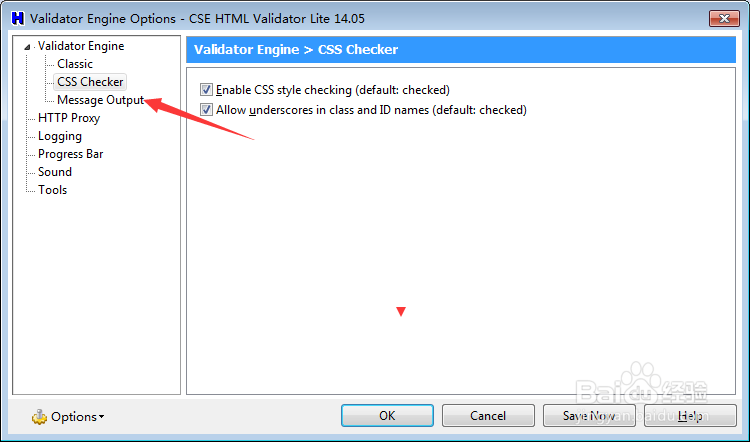
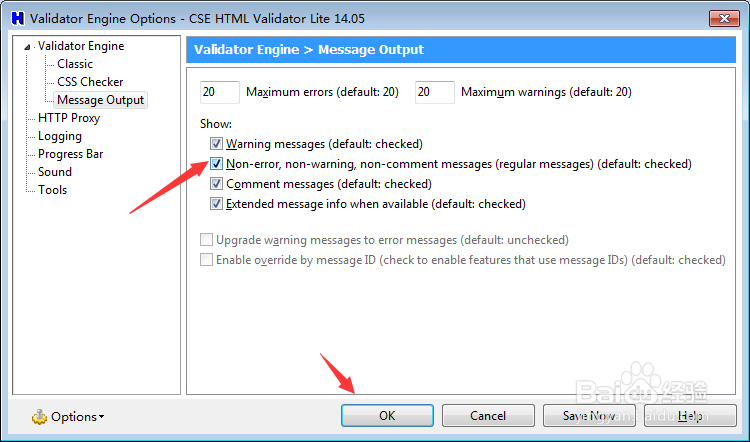
3、点击左侧中message output选项
4、勾选non-error non-warning non-comment messages选项
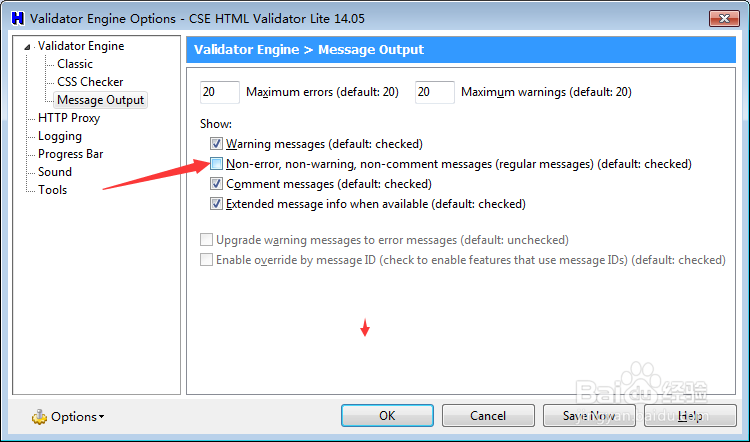
5、勾选non-error non-warning non-comment messages选项之后,点击ok
阅读量:149
阅读量:132
阅读量:59
阅读量:149
阅读量:108
1、点击菜单中tools菜单
2、弹出了下拉菜单选择为tools options选项
3、点击左侧中message output选项
4、勾选non-error non-warning non-comment messages选项
5、勾选non-error non-warning non-comment messages选项之后,点击ok