苹果7手写怎么设置,苹果iPhone7设置手写
1、首先打开手机设置选项,对手机设置基本就在设置中操作。
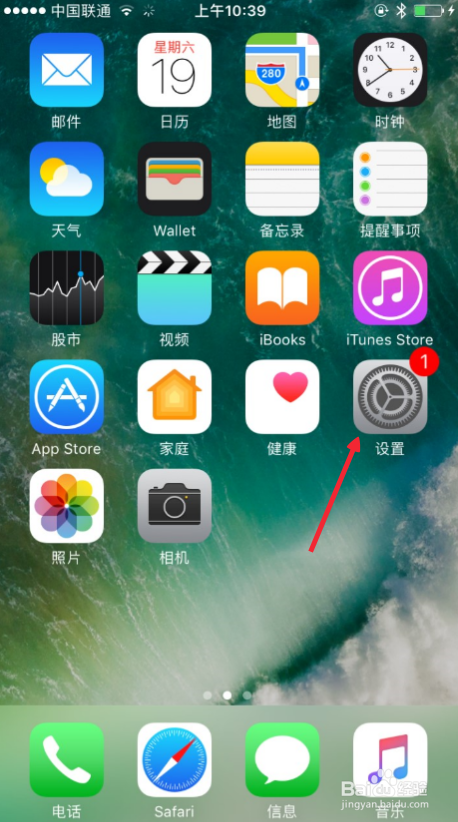
2、设置中我们找到通用选项进入。
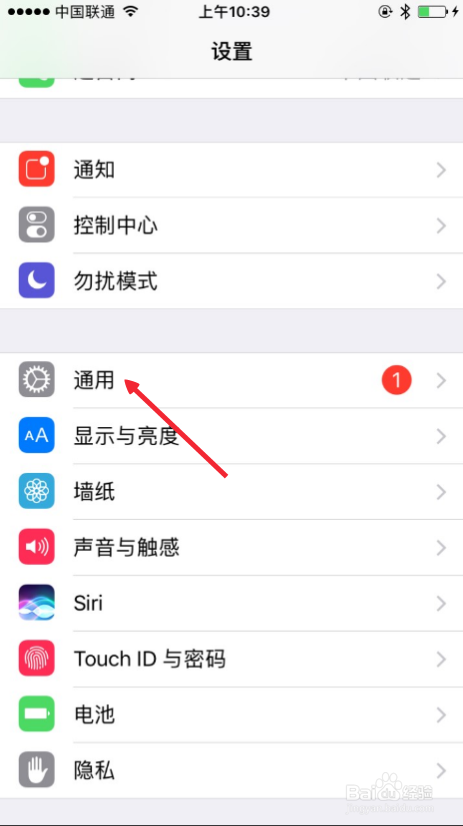
3、通用中找到键盘,如图,点击这里进入。继续点击键盘。
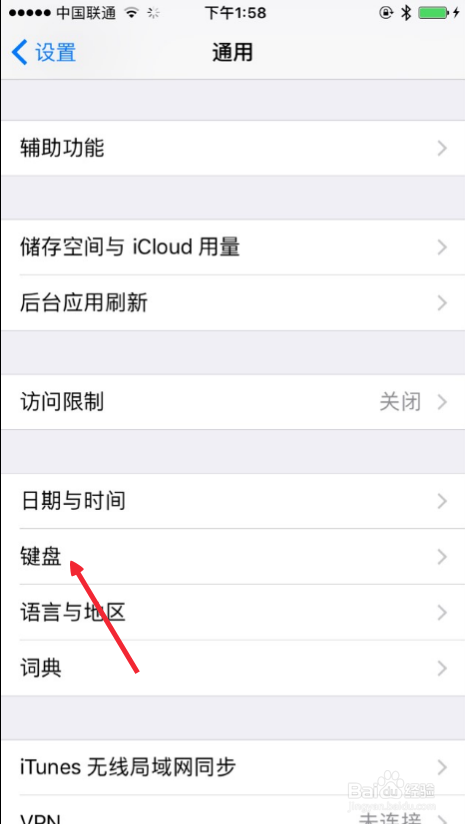
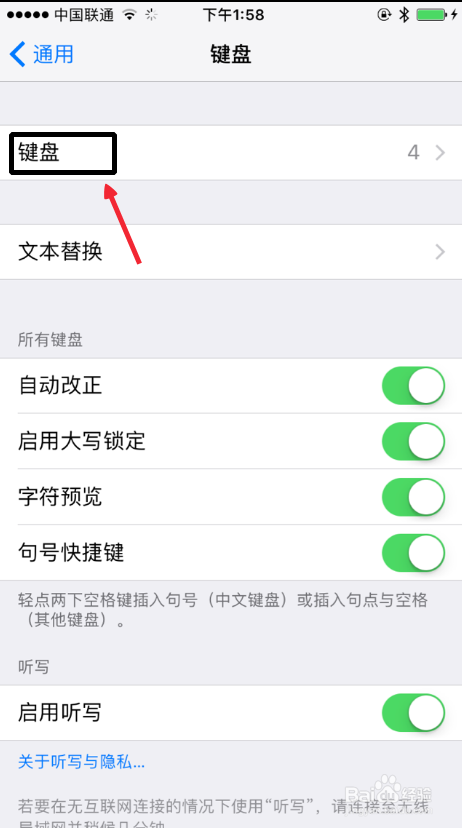
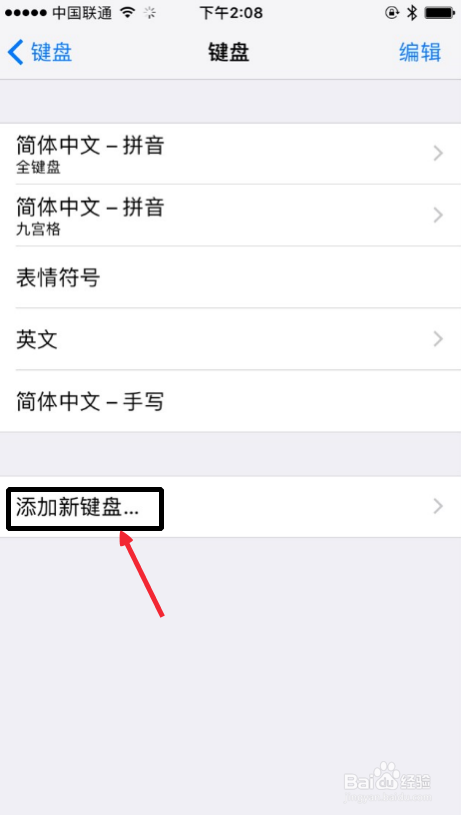
4、然后键盘中,下方这里添加新键盘按钮,点击操作。
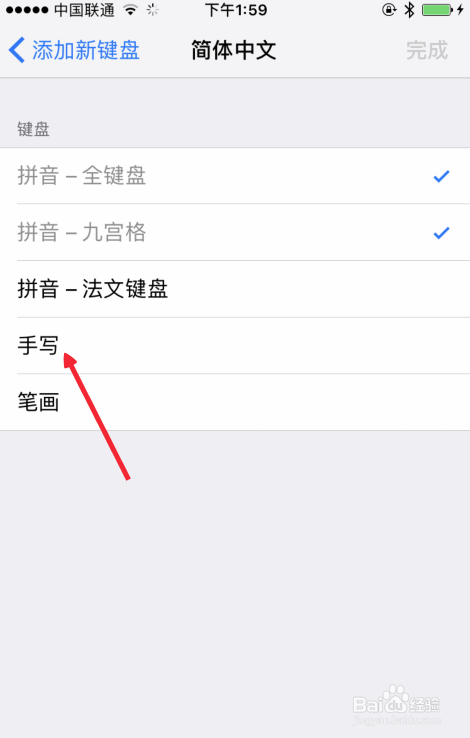
5、然后这里选择手写,这样设置完成。
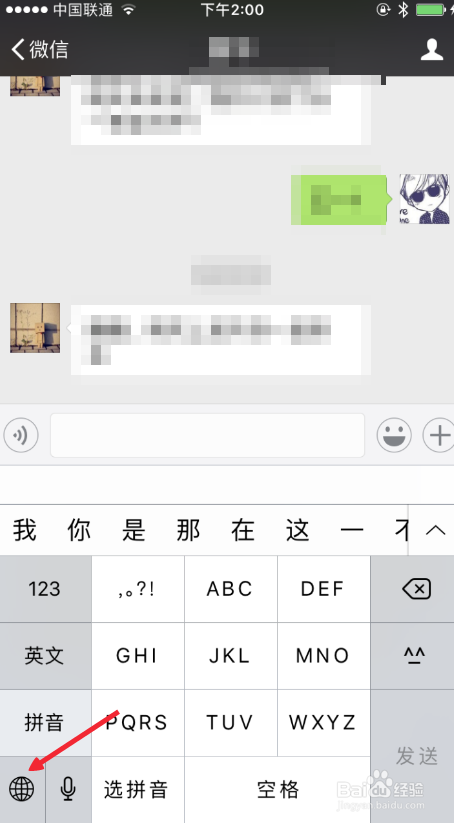
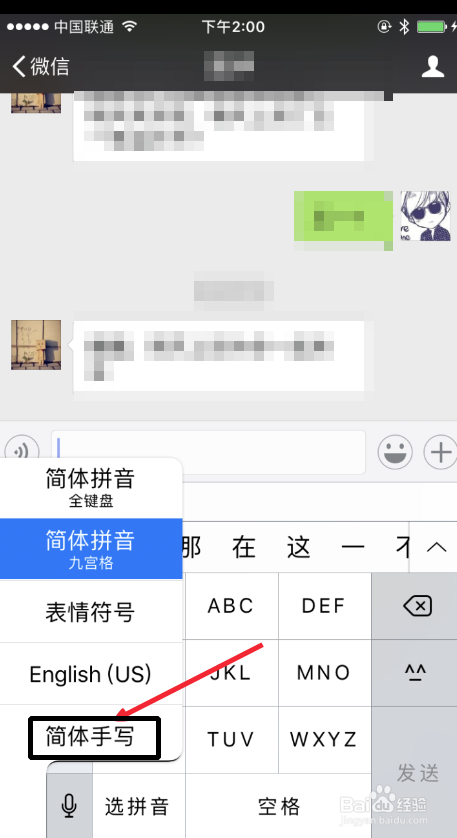
6、当自己输入文字时候,我们长按这里的地球图标,然后自己选择手写输入。
阅读量:47
阅读量:160
阅读量:86
阅读量:155
阅读量:64
1、首先打开手机设置选项,对手机设置基本就在设置中操作。
2、设置中我们找到通用选项进入。
3、通用中找到键盘,如图,点击这里进入。继续点击键盘。
4、然后键盘中,下方这里添加新键盘按钮,点击操作。
5、然后这里选择手写,这样设置完成。
6、当自己输入文字时候,我们长按这里的地球图标,然后自己选择手写输入。