vscode设置中文的方法
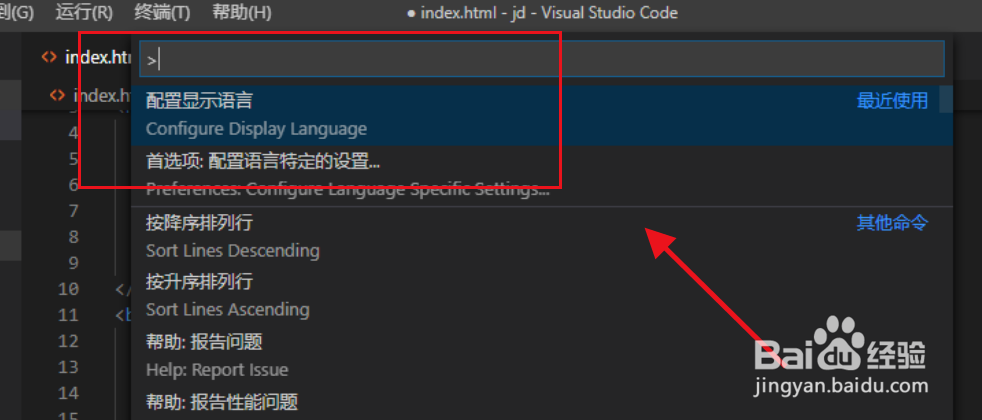
1、首先打开vscode ,按快捷键“Ctrl+Shift+P”打开设置,如图
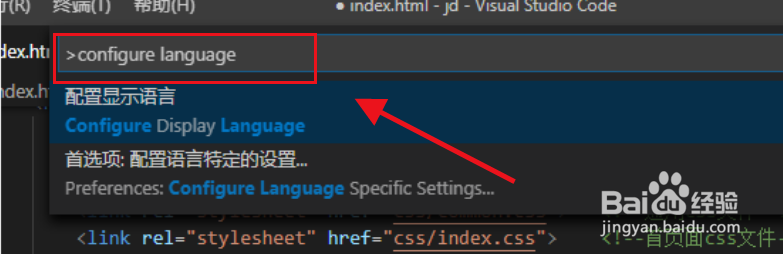
2、然后在命令提示符输入configure language,回车,如图
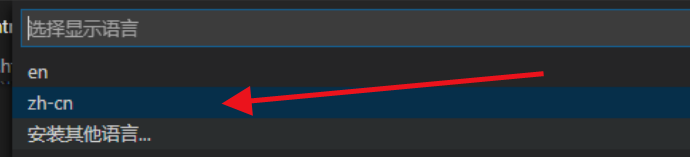
3、然后选择安装其他语言,如图所示
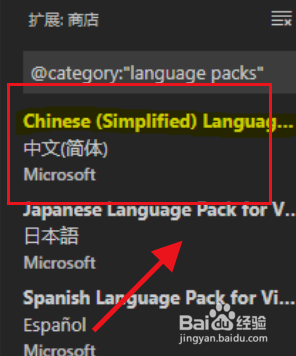
4、选择简体中安装,如图所示
阅读量:145
阅读量:110
阅读量:107
阅读量:80
阅读量:177
1、首先打开vscode ,按快捷键“Ctrl+Shift+P”打开设置,如图
2、然后在命令提示符输入configure language,回车,如图
3、然后选择安装其他语言,如图所示
4、选择简体中安装,如图所示