Excel怎么用match函数判断季度
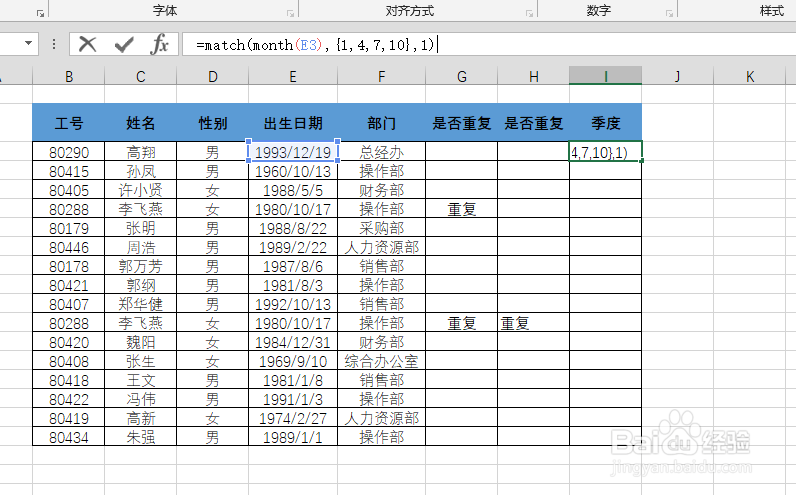
1、如图所示Excel界面,判断月份是第几季度?

2、在单元格输入函数
=match(month(E3),{1,4,7,10},1)
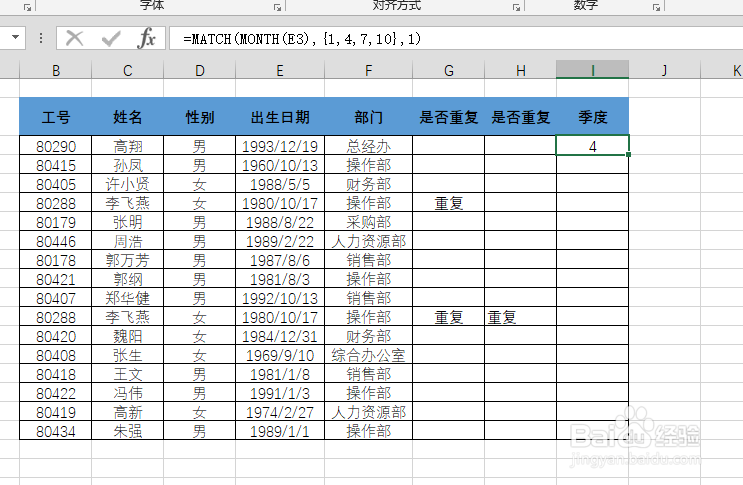
3、填充公式后,结果如图。
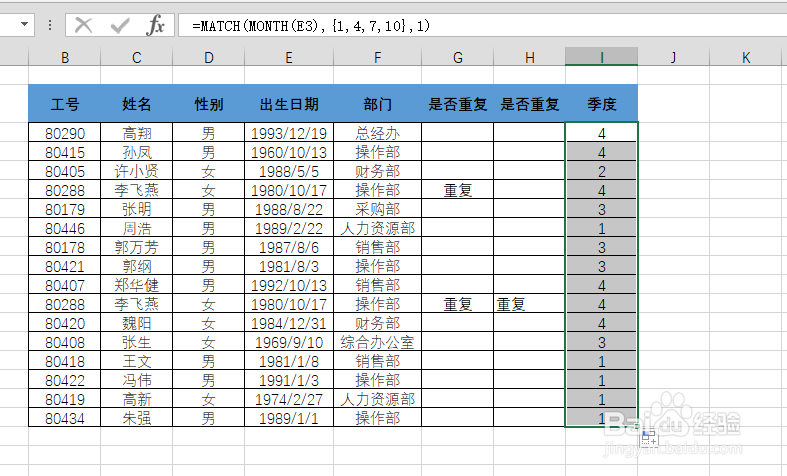
4、函数match(month(E3),{1,4,7,10},1)
函数参数month(E3)提取月份

5、函数match(month(E3),{1,4,7,10},1)
{1,4,7,10},1——判断季度


阅读量:73
阅读量:23
阅读量:159
阅读量:120
阅读量:92
1、如图所示Excel界面,判断月份是第几季度?
2、在单元格输入函数
=match(month(E3),{1,4,7,10},1)
3、填充公式后,结果如图。
4、函数match(month(E3),{1,4,7,10},1)
函数参数month(E3)提取月份
5、函数match(month(E3),{1,4,7,10},1)
{1,4,7,10},1——判断季度